



Single-Mode vs Multi-Mode Fiber: Differences, Costs, and Best Uses
Most organizations have to decide between single-mode fiber vs multi-mode fiber. Single-mode fiber features a smaller core through which light can travel, while multi-mode fiber has a larger core. Because of its lower attenuation levels and higher bandwidth capacity, single-mode fiber is best used for long-distance, telephony-style applications.
Meanwhile, multi-mode fiber tends to be pitched as an affordable alternative to single-mode fiber for applications requiring shorter connections over private networks.
Among the various fiber optic cable types available today, these two remain the foundation of nearly every network design. In this article, you’ll learn the difference between these fiber optic cable categories and where each one is best used, to avoid thousands of dollars in preventable expenses and headaches in the future.
Single-Mode Fiber vs Multi-Mode Fiber at a Glance
For a quick comparison of multi-mode vs single-mode fiber, refer to this chart:
| Feature | Single-Mode Fiber | Multi-Mode Fiber |
|---|---|---|
| Typical core diameter | Approximately 9 µm | Commonly 50 or 62.5 µm |
| Number of light modes | One primary mode | Multiple modes |
| Typical distance | Long-distance links | Short building or campus links |
| Common light source | Laser | VCSEL or LED-based systems |
| Common classifications | OS1, OS2 | OM1, OM2, OM3, OM4, OM5 |
| Typical applications | Telecom, ISP, campus backbone | Data centers, LAN connections |
| Transceiver consideration | Long-reach optics | Short-reach optics |
What to remember: Maximum distance and bitrate depend on the exact fiber grade, wavelength, transceiver, connector loss, and Ethernet standard in use. This isn’t dependent on whether your cable is single-mode or multi-mode. In fact, two otherwise identical networks running different single-mode fiber cable or mult-imode fiber cable can perform extremely differently based on the optics you plug into them, which is why fiber bandwidth and distance always have to be evaluated together rather than separately.
What Is Single-Mode Fiber?
Smaller Core and a Single Light Path
Single-mode fiber only allows a single light mode to propagate through the core. By severely limiting the amount of light spread across the wire, single-mode fiber greatly reduces modal dispersion in comparison to multi-mode fiber.
Identify the thin diameter and single light path as defining characteristics of single-mode fiber optic cable.
The small single-mode fiber core size allows transmission signals to travel farther without losing strength compared to a comparable mult-imode fiber core size.
Long-Distance and High-Capacity Performance
Single-mode fiber is commonly used by Internet Service Providers (ISPs) and telecom companies across the United States. Single-mode fiber runs are common in fiber-to-the-premises (FTTP) deployments, campus backbone connections, and even links between multiple buildings.
Due to its far-reaching nature, it’s also useful any time distance becomes a limiting factor instead of raw bandwidth. Single-mode fiber optic cable can transmit signals for miles without worrying about attenuation.
OS1 and OS2 Single-Mode Fiber
There are two main classifications for single-mode fiber optic cable: OS1 and OS2. When comparing OS1 vs OS2 fiber, the differences go beyond core size and include durability, moisture resistance, microbending attenuation, buffering, and more. These standards aren’t quite interchangeable with one another.
So, if your installation calls for OS1-rated fiber optic cable, you can’t necessarily use OS2 cable and expect the same performance.
What Is Multi-Mode Fiber?
Multi-mode fiber carries multiple light modes, or paths, through a larger core.
Larger Core and Multiple Light Modes
Because multi-mode fiber has a much larger core than single-mode fiber, light can take a variety of different paths as it travels through the cable. Each of these paths arrives at the destination at slightly different times, causing modal dispersion. Modal dispersion is the primary factor that limits distance on multi-mode fiber links.
Short-Reach Network Applications
Since modal dispersion limits the distance that a signal can travel down a multi-mode fiber optic cable, most networks use it for onsite connections. Building local area networks (LANs), equipment rooms, data centers, and pulling fiber through your office building are all perfect examples of when to use multi-mode fiber optic cable.
If you’re connecting multiple buildings across a campus, consider running single-mode fiber between each structure, then using multi-mode fiber inside the building.
OM1, OM2, OM3, OM4, and OM5 Fiber
Multi-mode fiber optic cable comes in five distinct classifications: OM1, OM2, OM3, OM4, and OM5. These standards, issued by the Optical Multimode Fiber Council (OMFC), outline several design properties for each grade.
OM3 and OM4 are both considered laser-optimized multi-mode fiber, built specifically to support higher-speed VCSEL transmission over longer distances than legacy OM1 or OM2 cable. There’s a common misunderstanding of OM3 vs OM4 fiber, OM4 vs OM5 fiber, and even just what each classification can support distance-wise. Understanding these differences matters more than most people realize, as going from OM3 to OM4 fiber won’t give you the exact same maximum distance at the higher-grade cable. It’ll also cost more.

Key Differences Between Single-Mode and Multi-Mode Fiber
Here are the critical differences between the two types:
Core Diameter
Single-mode fiber optic cable has a much smaller core size than multi-mode fiber optic cable. Small core sizes create a single path for light to take. Multi-mode fiber’s larger core creates multiple paths for light to transmit data down the cable.
Bandwidth and Data Capacity
At maximum distances and with optimal connections, both single-mode fiber and multi-mode fiber can support incredibly high data rates. The difference is how far that particular bitrate can travel down either a single-mode or multi-mode fiber optic link. For a proper real-world example, you’ll need to compare fiber optic transceivers.
Maximum Transmission Distance
For most installations, single-mode fiber supports longer distances than multi-mode fiber cables. Keep in mind that maximum distance decreases as bitrates go up when working with multi-mode fiber optic cables. Also, the theoretical maximum distance of either a single-mode vs multi-mode distance comparison will change based on the OM rating and the specific Ethernet standards being used.
Light Sources and Wavelengths
Single-mode fiber typically uses laser-based transceivers. Multi-mode, on the other hand, usually uses VCSEL-based transceivers (and occasionally LED-based transceivers for legacy installations). While most modern FTTP deployments use light wavelengths of either 1,310 or 1,550 nm, this isn’t universal. Always double-check that the wavelength your system uses matches the equipment you intend to connect to it.
Modal Dispersion
Again, modal dispersion is the main factor that limits how far a signal can travel down a fiber optic cable. Because single-mode fiber only allows one mode to travel down the fiber, modal dispersion doesn’t affect it nearly as much as multi-mode fiber.
Cable, Transceiver, and Installation Costs
Multi-mode fiber used to be the clear cost winner, but that’s no longer true. Here’s a better way to look at single-mode vs multi-mode cost:
- Distance cost: Multi-mode transceivers are cheaper than their single-mode counterparts for short distances.
- Labor: Installation and termination take time.
- Pathways: Consider whether you already have structured cable closets with room for more fiber.
- Termination: Determine whether you need to terminate your own fiber connectors or if a local ISP handles that for you. Transceiver and cable costs don’t matter if you don’t have anyone qualified to pull and terminate the cable within your building.
- Testing: When you terminate fiber connectors by hand, you should verify your work with a light meter.
Upgrade and Future-Expansion Potential
Will your network need 100G? Does your campus have plans to connect to a carrier someday? These questions can help you decide between multi-mode vs single-mode fiber. If you think you may need to upgrade your fiber optic cables within the next five years, consider spending a little more money now to avoid pulling new fiber later.

Single-Mode vs Multi-Mode Fiber Distance
Typical Multimode Distance Considerations
When it comes to multi-mode fiber distance, it’s less about what the maximum distance is and more about what distance you can reach at specific bitrates. Simply using OM3 fiber doesn’t give you a specific maximum distance. You also need to know what kind of Ethernet transmission you’re running down that fiber optic cable. For example, an OM3 fiber connection running 10 Gigabit Ethernet can travel much farther than an OM1 fiber connection running 10 Gigabit Ethernet.
Typical Single-Mode Fiber Distance
Single-mode fiber is used for long distances, but the distances vary by use case. For example, building-to-building backbone runs on a campus are often a few hundred to a few thousand feet, metro-area links between facilities in the same city can stretch several miles, access-network deployments from a provider’s hub to a customer location commonly run a few miles, and long-haul carrier routes can extend tens of miles or more with the right optics and amplification.
Unlike multi-mode fiber distance, however, single-mode fiber distance varies wildly by the transceiver you use on either end. When considering how far your fiber links can stretch, you need to look at both the cable and what you’re plugging into it.
Why the Transceiver Specification Matters
Can you swap out just the transceiver and expect everything to work? In most cases, no. Every one of your fiber optic transceivers has a specific wavelength it works with. While two different transceivers may physically fit into your equipment, that doesn’t mean they’ll work with your fiber optic cables.
Where Is Each Type of Fiber Commonly Used?
Telecommunications and Fiber Internet Networks
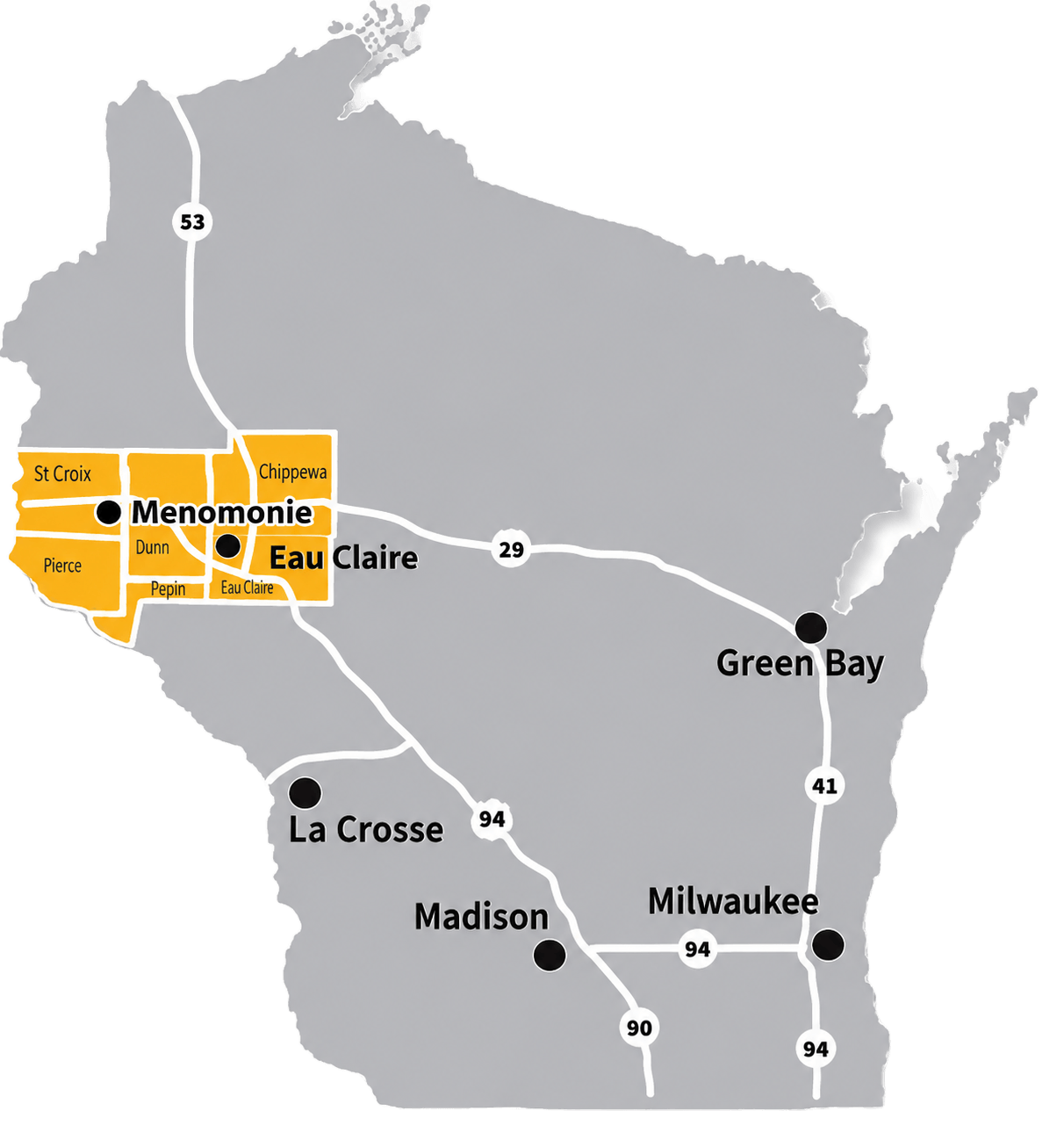
Providers also use single-mode fiber to cover long distances. For reference, these are the kinds of long-distance fiber connections that power 24-7 & West Wisconsin Telcom’s all-fiber optic Internet services for homes and businesses across western Wisconsin.
Offices and Commercial Buildings
For commercial properties, fiber usually terminates somewhere in the building – either in the telecommunications room, in a vertical riser near your bulk cable entrance, or in your equipment room itself. Considering what you’ll do with fiber in these buildings during initial construction can save you thousands in future retrofitting expenses.
Data Centers
These days, more and more data centers are deploying single-mode fiber themselves. While multi-mode fiber remains a viable option for short-reach networking, many choose single-mode as part of their data center strategy.
Schools and Campuses
Fiber optic cable doesn’t just power school websites, databases, and digital learning platforms. School campuses use fiber for everything from backbone runs between buildings to e-sports facilities, security camera networks, wireless access points, and the administrative networks that keep front-office and IT systems running, not to mention the LAN connecting to servers in the gym to distribute video to TVs for instant replay in athletics.
Industrial and Agricultural Properties
Fields and large industrial areas often encounter many of the same issues. Long distances, electrical interference, connections between multiple buildings, and outdoor pathways are just some of the requirements that make a proper business fiber network using fiber backbone cabling much more practical than copper.

Can Single-Mode and Multi-Mode Fiber Be Mixed?
While the optics on either end must match, there’s nothing stopping you from having your own single-mode and multi-mode cable runs terminate in the same telecommunications room. Beyond matching optics, a compatible link also depends on core size alignment, launch conditions (how light enters the fiber), connector type, and optical power budget, all of which have to be engineered together rather than assumed. However, you can’t run them through the same conduit, cable tray, or paired pathway. Nor should you attempt to connect a single-mode fiber optic cable to a multi-mode optical transmitter.
How to Choose Between Single-Mode and Multi-Mode Fiber
Take into account the pathway length, how it’s routed, how much slack you have to work with, and any future construction that might occur.
Determine the Current and Future Data Rate
Will your business need 1, 10, 40, or 100 Gbps, and how soon will you need to upgrade? Existing cable deployed in your facility, patch panels on the wall, what transceivers you’ll connect to the fiber, switches, conduit, copper conduits, and how many spare strands you have available all matter. All of these things should be considered when deciding what’s best for your fiber optic network installation.
Common Fiber-Selection Mistakes
Choosing Fiber Based Only on Cable Price
Fiber optic cable is only a fraction of your total project. Optics, labor, ongoing maintenance, testing, and future upgrades need to be considered as well.
Ignoring the Required Transceiver
Always check the transceiver requirements at both ends of the link before settling on a fiber type. Installing the wrong fiber because the optics on one end don’t match the equipment on the other is one of the most expensive mistakes we see customers make.
Assuming All Multimode Fiber Has the Same Performance
OM1, OM2, OM3, OM4, and OM5 all support different distances and data rates. Treat them as entirely different cables and you’ll save yourself a headache.
Installing Only Enough Fiber for Today
We always recommend installing spare fiber strands for future growth. It can be hard to justify the upfront cost, but once you understand how often that spare capacity gets used, you’ll wish you’d installed more.
Skipping Professional Testing and Documentation
You installed it. Now go test it with a light meter (insertion-loss testing) to ensure everything is functioning correctly, and label every connector you terminate. Keep route records and equipment documentation on file too.
Your future self will thank you!

Single-Mode vs Multi-Mode Fiber: Which Is Better?
If you need long distances, need a building-to-building backbone, or don’t want to limit your future expansion options, single-mode fiber is almost always the better starting point. If you already have an existing short-reach network that hasn’t been upgraded, or you know that the multi-mode optics and architecture provide the best total cost of ownership for your application, choose multi-mode fiber.
Plan Your Fiber Network With Local Experts
With decades of experience building and deploying fiber optic cable networks across Wisconsin, 24-7 & West Wisconsin Telcom can help your organization evaluate your routes, equipment, capacity needs, and expansion plans before designing and installing the fiber network your business needs to succeed.
Frequently Asked Questions
Is single-mode fiber faster than multi-mode fiber?
While multi-mode fiber may support 10 Gigabit Ethernet just fine, the distance those signals can travel drops significantly when compared to single-mode fiber at the exact same bitrate. You’ll need to look at the entire optical system including cable, transceiver, wavelength, and Ethernet standard being used to determine what bitrate and distance will be supported.
Can multi-mode fiber support 10 Gigabit Ethernet?
Yes. Multi-mode fiber can support 10 Gigabit Ethernet. However, just because your cable supports it doesn’t mean your transceiver does. As mentioned above, the maximum distance your fiber link can stretch depends heavily on the type of multi-mode fiber and what optics you intend to use.
Is single-mode fiber more expensive than multi-mode fiber?
It depends on what you’re measuring. Cable price alone tells a different story than transceiver cost or total cost of ownership (TCO). Every network’s topology is different and will produce a different TCO when it comes time to calculate.
Can you connect single-mode fiber to a multi-mode transceiver?
Under most circumstances, no. The two don’t line up and won’t work with each other. There are some exceptions to this involving mode-conditioning patch cords and special transceivers built to bridge the two media, but those are rare applications used in legacy installs.
Which fiber is best for use between buildings?
Since running fiber between buildings typically requires long distances, starting with single-mode fiber is usually your best bet. You can still run single-mode fiber into a building and use multi-mode for the internal connections.
What is the difference between OS2 and OM4?
OS2 is a type of single-mode fiber designed for outside plant use, and OM4 is a multi-mode fiber type designed for high-bandwidth applications.